









































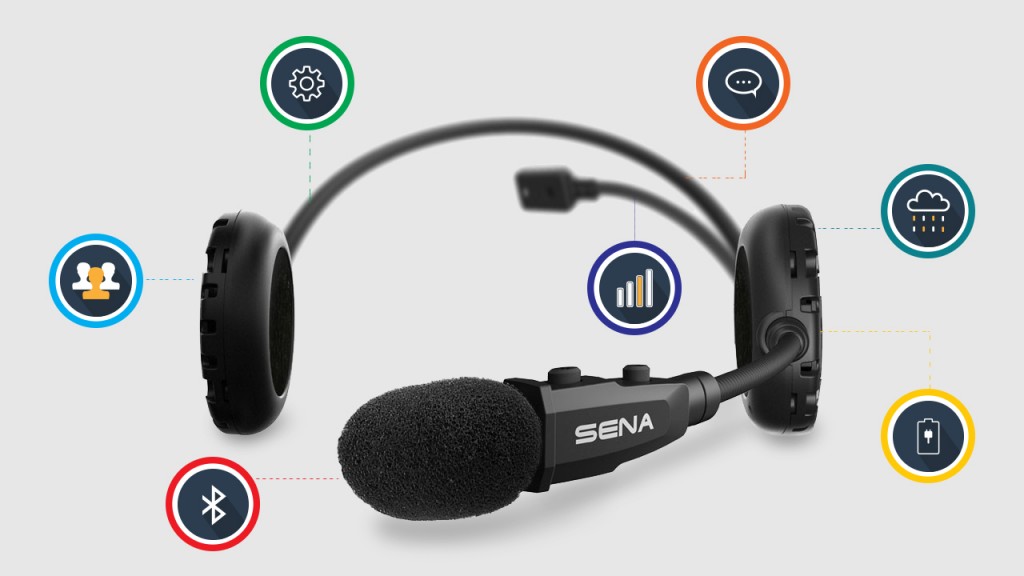
What about the other important stuff, such as battery life, range and weatherproofing. Are there any additional features I should know about?
- Talk time: The battery life for active use (e.g., talking to other riders, listening to music, etc.) In some devices, this can be as long as 15 hours.
- Standby time: The amount of time the device can be ON – ready to receive calls and perform functions – but not in active use. In some devices, the standby time exceeds 10 days.
- Battery life: Most products do not list a “battery life,” as it will depend on the ratio of standby time and talk time.
- Range: The working distance for stand-alone Bluetooth pairing. It’s normally around 1000m, but varies from device to device. Also, large objects like hills and buildings can get in the way, dramatically decreasing the Bluetooth range. If your comm system uses multi-hop technology, the range can increase with each added device. And if you’re connected to a cell phone or walkie-talkie, you can make calls using those devices for a much greater range.
- Charging Port: The type of cabled connection required to charge the device. It will normally be a standard 120V outlet, a USB connection for your computer, or a 12V car or motorcycle port. Many companies offer adapters, which give customers a few options. In some cases, it is possible to charge the device while using it.
- Charging time: Super obvious – the time it takes to charge a battery from dead to full. For most devices, this is around 2-5 hours.
- Water resistance: Again, super obvious – the ability for a device to withstand a bit of rain. This is especially important for headsets, where the body attaches on the outside of a helmet. Even with a water resistant comm, you shouldn’t use it in a downpour. If you're looking for peace of mind as far as weatherproofing is concerned, check out any of the Cardo Scala products - these are certified waterproof - to a depth of 1 meter. That should do it, no?
- Operating temperature: Certain temperatures can wreck, or at least temporarily disable, a communication device. Most systems have an operating range around -10 to 50°C, although some are considerably wider. Operating temperature normally isn’t an issue – if you’re riding outside of this range, you probably shouldn’t be.
- Mounting system: How the device is mounted – duh. If you plan on moving the comm from one helmet to another, adhesive mounting systems can be troublesome. Many manufacturers will provide a few options, including quick-release brackets. See our fitment section for more information on this.
Adjustability
- Detachable/changeable/plug-in speakers: Allows the rider to replace the stock speakers with other compatible ones. For example, half helmet users often prefer ear buds over the standard ear-flap-mounted speakers.
- Detachable/changeable/plug-in mic: Ability to change the microphone for another type. For example, some riders prefer a loose, corded microphone over the standard boom type.
- Boom length: This one is pretty self-explanatory. Full-face users should pay particular attention, as wrapping the microphone under and into a helmet requires a fairly long boom.
Compatibility Profiles, Apps, and other Techie Stuff
- Digital signal processing (DSP): Ability to alter or “clean” audio information. Devices with DSP will digitally minimize wind noise, traffic noise, and echoing. This is especially important for open face or half helmet users.
- Apps: Many comm systems have corresponding iPhone or Android apps. These provide a friendly interface for adjusting the device’s settings, organizing intercom groups, programming radio and speed dial pre-sets, etc.
- Firmware updates: As with all electronics, comm systems tend to improve every few months. If your device allows updates, you’ll be able to download the latest firmware every time the technology changes. This allows your communication system to stay on the cutting edge, even a few years down the road.
Profiles
Devices with Bluetooth technology (like communication systems and the phones, MP3s or GPS systems that they pair with) need to use the same profiles to be compatible. Here are the main ones you’ll see:
- A2DP: (Advanced Audio Distribution Profile) – for high-quality audio streaming, like music.
- HSP: (Headset Profile) – allows the rider to use another device through the headset (e.g., talking on the phone using the comms mic).
- HFP: (Hands Free Profile) – an advanced version of the above. It allows the headset to use and control another device, such as a mobile phone. HFP facilitates voice commands.
- AVRCP: (Audio/Video Remote Control Profile) – allows the comms push-buttons to control another device (e.g., pressing a button on your headset to make your cell phone dial “Home.”)
- ICP: (Intercom Profile) – allows voice calls between two Bluetooth headsets using only the Bluetooth connection (i.e., without the need for other devices like phones or walkie-talkies).
- GAVDP/GAP: General profiles, which provide a foundation for the specific ones above. The Generic Access Profile (GAP): Allows a Bluetooth unit to find and connect with another device. If you want your communication system to work with a particular device, you should check to make sure that both devices support the relevant profiles. This information can normally be found on the manufacturer’s webpage. For example, here is the chart for Apple products .